

IT support keeps business systems running, secure, and scalable through technical support, system management, and risk control.
Slow computers, unstable WiFi, ransomware alerts, and software outages are not minor inconveniences; they directly reduce productivity and increase operational risk. For small businesses, even short disruptions can halt sales, delay service, and expose sensitive data.
This guide explains what IT support actually includes, which warning signs indicate weak coverage, and how to choose the right support model based on size, risk, and growth without overspending or overengineering.
What Does “IT Support” Mean for a Small Business?
IT support for small businesses includes tech help, system upkeep, security safeguards, and long-term planning to ensure continuity.
If your team relies on email, files, Wi-Fi, or point-of-sale software, you’re already dependent on IT, whether you manage it or not.
At its core, small business IT support covers:
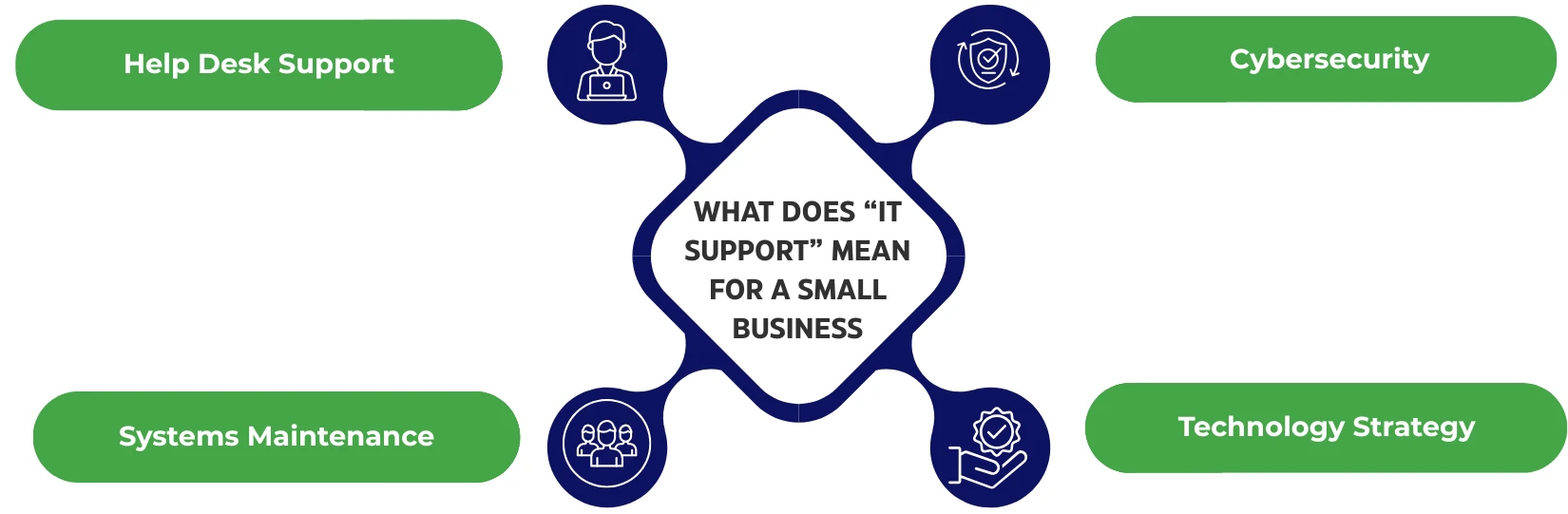
- Help desk support: Fixes for login issues, email glitches, printer errors, and new device setups. These are accessible via phone, chat, or ticket.
- Systems maintenance: Regular updates, daily backups, and real-time monitoring that prevent breakdowns and catch failures early.
- Cybersecurity: Antivirus or endpoint detection, multi-factor authentication (MFA), patching vulnerabilities, and training employees to spot threats.
- Technology strategy: Planning for future needs, managing vendors, setting IT budgets, and choosing the right tools to support growth.
Without structured IT support, these areas often fall on the “one person who knows everything,” creating a critical single point of failure.
What Are the Signs You Need Better IT Support?
Frequent downtime, security gaps, and unmanaged growth signal it’s time to upgrade or establish professional IT support.
If your business runs on hope instead of systems, you’re already vulnerable.
Here are clear signs your IT setup isn’t keeping up:
- Recurring outages or slow systems: Lost productivity and missed revenue are red flags, not routine.
- No tested backups: If you can’t restore a deleted file or server, you don’t have a real backup plan.
- Unmanaged personal devices: BYOD without policy invites data leaks, malware, and compliance violations.
- Security risks: Shared passwords, outdated software, no MFA, these are all signs that your defenses are wide open.
- One-person dependency: If one employee holds all the IT knowledge, you’re one resignation away from chaos.
- Growth without guardrails: Opening new locations, hiring remote staff, or facing regulatory demands? That’s when IT needs to scale, fast.
When these signals appear, they’re not IT problems; they’re business risks. Addressing them early prevents costly recovery later.
What Core IT Support Services Should Small Businesses Expect?
Small businesses should expect end-user help, system upkeep, cybersecurity, backups, cloud/email support, and vendor management.
A reliable IT support model doesn’t just “fix stuff.” It builds resilience, protects data, and enables smooth day-to-day operations.
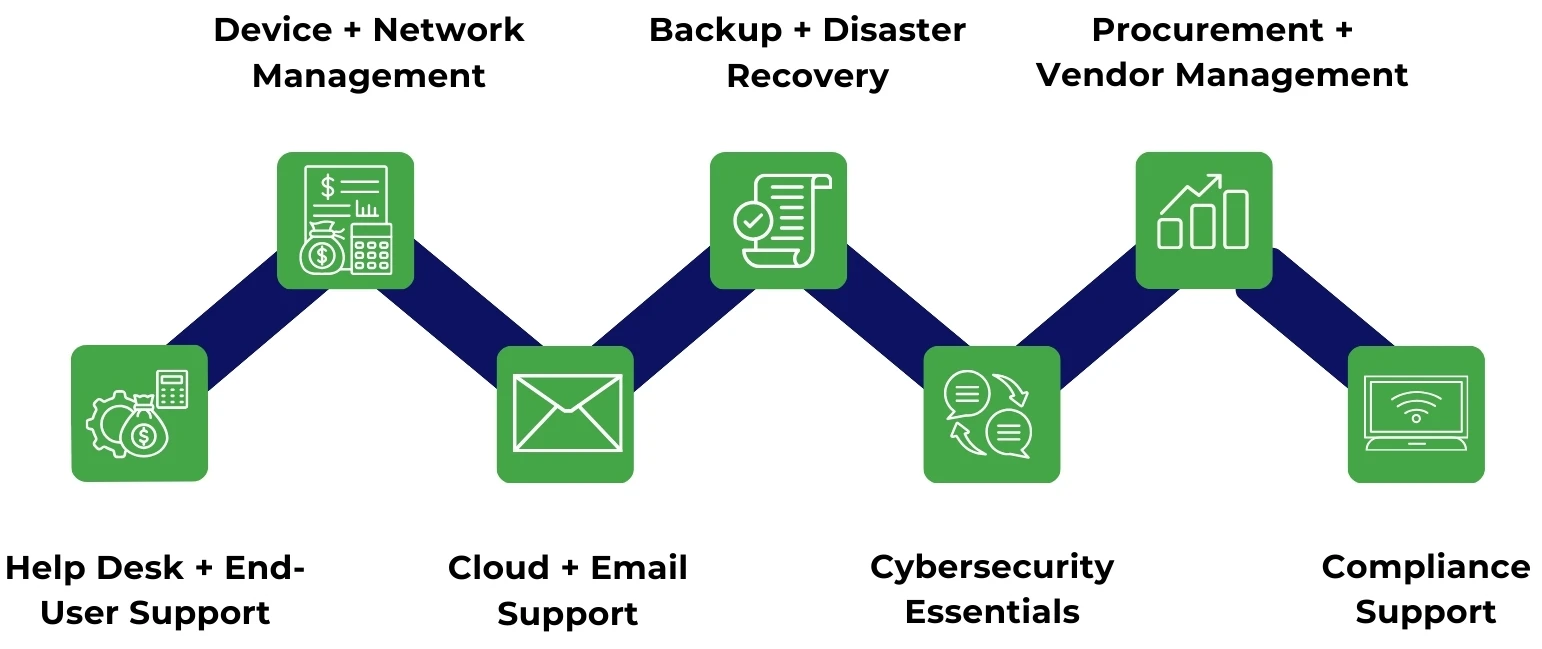
Help Desk + End-User Support
Support should be accessible across multiple channels, including ticketing portals, phone, chat, and onsite visits for critical issues.
Service Level Agreements (SLAs) matter. Response time means how fast they acknowledge an issue. Resolution time is how quickly it’s fully fixed. Both should be defined, tracked, and enforced.
Device + Network Management
A professional IT provider manages your laptops, desktops, mobile devices, and even your printers.
They also handle the network backbone, like routers, firewalls, switches, Wi-Fi optimization, and coordination with your internet service provider (ISP) when outages hit.
Cloud + Email Support
Support should cover key platforms like Microsoft 365 and Google Workspace, including user setup, license management, shared mailboxes, and account security.
Email deliverability is essential; misconfigured settings can block invoices, quotes, and client messages from ever reaching the inbox.
Backup + Disaster Recovery
Follow the 3-2-1 rule:
- 3 copies of data
- 2 media types
- 1 offsite
Understand RTO (Recovery Time Objective), how fast systems must be back online, and RPO (Recovery Point Objective), and how much data loss is acceptable. Your provider should define and test both regularly.
Restore tests must be documented. A backup you’ve never tested doesn’t count.
Cybersecurity Essentials
Strong IT support includes:
- Multi-Factor Authentication (MFA) on every system
- Endpoint protection for all devices
- Patch management to fix known vulnerabilities
- Security awareness training, including phishing simulations
- Access control using least-privilege principles
- A defined incident response plan, who to call, what to shut down, and how to contain breaches
Procurement + Vendor Management
IT support should track hardware lifecycle, knowing when to replace aging systems before they fail.
They should also optimize software licensing, ensuring you’re not overpaying or exposed to compliance risks.
Compliance Support
Depending on your industry, you may need to meet HIPAA, PCI DSS, or SOC 2 standards.
This means maintaining proper data logging, encryption, documented policies, and audit-ready reporting, all things an MSP should handle or support.
What Are the Different IT Support Models—and Who Are They Best For?
Small businesses can choose from break/fix, in-house IT, MSP, or hybrid models, each with tradeoffs in cost, speed, and control.
Choosing the wrong IT model doesn’t just waste money; it leaves systems exposed and growth unsupported. Here’s how the four core models compare:
Break/Fix (Pay-As-You-Go)
- Pros: No contract, no monthly fees, pay only when something breaks.
- Cons: Reactive by design. Outages drag on. Security gaps pile up. Costs spike unexpectedly.
- Best for: Solo operations or ultra-small teams with minimal tech reliance and strong risk tolerance.
In-House IT (Hire Staff)
- Pros: On-site presence, full context, deeper integration with internal workflows.
- Cons: High cost of salaries, benefits, and training. One-person IT teams create knowledge bottlenecks.
- Best for: Mid-size businesses with complex systems or tight data control requirements.
Managed Service Provider (MSP)
- Pros: Proactive monitoring, flat-rate pricing, 24/7 coverage, deeper bench of expertise.
- Cons: Service quality varies. Contracts may lock you in without delivering.
- Best for: Most small businesses that want predictable costs and reliable coverage without hiring in-house.
Hybrid (In-House + MSP)
- Pros: Internal control meets external scale. MSP handles volume and specialty tasks; in-house manages culture and context.
- Cons: Role confusion if boundaries aren’t clearly defined.
- Best for: Businesses with 50–200 staff, high compliance needs, or global operations.
IT Support Model Comparison Table
| Model | Cost Predictability | Response Speed | Security Coverage | Scalability |
|---|---|---|---|---|
| Break/Fix | Unpredictable | Slow | Often lacking | Limited |
| In-House | High/fixed | Fast | Variable | Grows slowly |
| MSP | Predictable | Fast | Structured | Easily scales |
| Hybrid | Balanced | Fast | Strong | Flexible |
How Much Does IT Support Cost for Small Businesses?
IT support costs vary based on users, devices, security needs, and support level, typically billed per user, device, or project.
Small business IT costs are rarely one-size-fits-all—but that’s exactly why surprises happen.
Common Pricing Models
- Per user/month: Covers all devices and support per employee. This is ideal for predictable budgeting.
- Per device/month: Separate rates for laptops, desktops, servers and mobile. It works for equipment-heavy teams.
- Tiered bundles: “Basic” vs “Security-First” packages with layered features like 24/7 monitoring or compliance tools.
- Hourly blocks: Best for project work, like migrations, upgrades, or audits, with time caps.
What Drives IT Support Cost?
- User count and device volume: More people, more complexity.
- Location spread: Remote teams or multiple offices require broader coverage.
- Security and compliance scope: Handling sensitive data, like in healthcare or finance, adds cost.
- Legacy systems: Outdated software or hardware demands more upkeep and more billable hours.
- Onsite vs. remote: Physical visits drive up both time and travel costs.
Hidden Costs to Watch For
- After-hours support fees: Some providers charge premium rates outside standard hours.
- Hardware replacement cycles: Aging infrastructure can silently drain your budget.
- Project-based billing: Upgrades, migrations, and audits often fall outside flat-rate contracts.
What Should You Look for in an IT Support Provider?
A good IT provider offers clear SLAs, strong security practices, documentation, and structured support, not vague promises.
Not all Managed Service Providers (MSPs) are created equal. Choosing wrong can mean downtime, poor accountability, and security gaps. Here’s how to vet them properly.
Questions to Ask Before Signing
- What are your response and resolution time targets?
Look for providers who commit to SLAs and share real data on how they meet them. - Do you include 24/7 system and security monitoring?
Constant visibility is essential. Anything less is a blind spot. - What does your security stack include?
Require clarity on MFA enforcement, endpoint protection, backups, and patching, not vague claims. - How do you document systems, access credentials, and configurations?
If their team disappears tomorrow, your business shouldn’t stop. - What’s your onboarding and offboarding process for employees?
New hires should be set up fast. Ex-employees should lose access immediately. - Who manages vendor escalations?
A strong MSP handles calls with software, hardware, and ISP vendors, so you don’t have to.
Red Flags to Avoid
- No written SLA: If timelines and responsibilities aren’t in writing, they don’t exist.
- Vague security claims: “We handle security” isn’t enough. Ask how.
- No backup restore testing: Backups aren’t real until they’ve been tested.
- No ticketing system: If support runs through texts or emails, chaos follows.
- Pushes unneeded tools: Selling software without a clear ROI is a sign that they profit more than you do.
A good MSP should improve your operations, not complicate them. Vet thoroughly, ask tough questions, and demand transparency before signing.
What Common IT Support Mistakes Do Small Businesses Make?
Delayed upgrades, ignored security, poor offboarding, and weak infrastructure create long-term IT risks for small businesses.
Many IT issues aren’t technical; they’re strategic missteps. Here are the most common mistakes small businesses make with IT:
Waiting until something breaks
- Treating IT as a fire extinguisher, not infrastructure, leads to avoidable downtime and higher costs. Prevention always costs less than recovery.
Skipping MFA and backups
- Without multi-factor authentication and tested backups, you’re one stolen password or ransomware attack away from a business-ending event.
Letting shadow IT grow
- When employees use unapproved apps or personal devices, you lose visibility and control. That’s how data breaches happen.
No offboarding process
- Former employees with active logins or system access are a real liability. IT support must include immediate deactivation protocols.
Buying consumer-grade hardware
- Cheap routers and switches choke under business workloads, limiting speed, security, and future scalability.
Frequently Asked Questions (FAQs)
Ready to Take Control of Your IT?
Proactive IT support reduces risk, improves uptime, and scales your business with confidence, without draining internal resources.
If your business depends on connectivity, cloud tools, or customer data, IT support isn’t optional; it’s operational infrastructure. The right model isn’t just about fixing what’s broken; it’s about preventing issues, reducing risk, and enabling scale.
Whether you’re evaluating your first IT partner or upgrading from a break/fix setup, now is the time to get strategic. Look for a provider that aligns with your pace, your people, and your goals.