

Virtual assistant services help small businesses eliminate execution bottlenecks, reduce time drain, and unlock productivity through smart outsourcing.
Every small business (SMB) hits a point where time becomes the most expensive resource. Between admin overload, unscalable workflows, and owner-led micromanagement, operational bottlenecks form quickly.
That’s where virtual assistant services for small businesses step in and offer flexible outsourcing to regain control of day-to-day business operations and restore focus on revenue-driving tasks. Done right, this reduces friction and improves end-to-end productivity.
This guide outlines what to delegate first, how to budget with an hourly rate or retainer, and what to look for when hiring an independent contractor.
You’ll also learn how to set up SOPs, define KPIs, and protect data privacy with NDAs and access controls.
What Are Virtual Assistant Services?
Virtual assistant services provide remote, flexible support for core business functions like admin, sales, marketing, operations, and customer service.
What is a Virtual Assistant?
A virtual assistant (VA) is a skilled, remote assistant hired to handle repeatable, time-consuming tasks that don’t require in-house staff.
Most VAs work as independent contractors and support SMBs across admin, operations, sales, and customer experience.
They’re typically sourced via a VA agency, freelancer marketplace, or direct hire, depending on the business’s maturity.
Generalist VA: A generalist VA is ideal for routine tasks like inbox or calendar management.
Specialized VA: A specialized VA, however, brings focused expertise; think CRM hygiene, paid ad operations, or lead qualification.
Choosing between them depends on task complexity and how well you’ve documented your workflows.
Hiring VAs can be onshore, offshore, or nearshore, offering a spectrum of trade-offs in time zone coverage, cost efficiency, and cultural alignment.
Why Do Small Businesses Use VAs?
Small businesses hire VAs to reduce owner workload, eliminate task switching, and scale without the cost of full-time hires.
For the solopreneur or lean team, every interruption carries an opportunity cost. Context switching between tasks like scheduling, lead follow-up, and customer queries drains decision-making energy and delays strategic work. A VA absorbs these functions, freeing the founder to focus on growth.
Using VAs is also a cash-efficient move for capacity planning. Rather than committing to new payroll, businesses pay for output only. As business needs shift, VA hours can scale without adding operational drag.
What are the Benefits of Virtual Assistant Services for Small Business?
Virtual assistants help small businesses streamline operations, reduce costs, and unlock strategic bandwidth for growth.
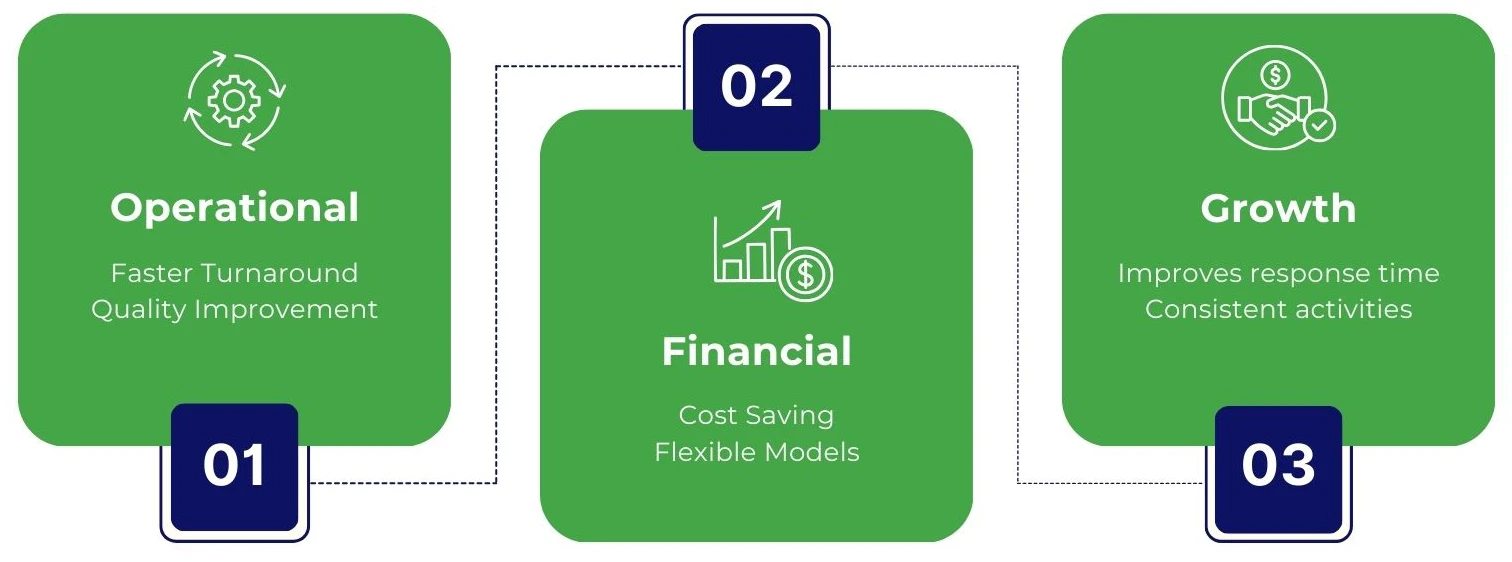
Operational Benefits
- Faster turnaround for repetitive tasks improves workflow speed and reduces backlog in daily operations.
- VAs introduce structure through standardized processes, consistent documentation, and detailed SOPs.
- Less reliance on the founder reduces “owner dependency” and allows for smoother delegation.
- Quality improves through repeatable systems and checks using QA checklists.
Financial Benefits
- VAs cost less than full-time hires by eliminating expenses like benefits, equipment, and workspace overhead.
- Flexible pricing models, retainer, hourly rate, or fixed packages; let businesses scale support without bloated costs.
- No payroll taxes or long-term financial commitments; you pay for outcomes or specific hours as needed.
Growth Benefits
- Founders regain time to focus on sales, strategic planning, and building partnerships.
- VAs improve response speed, enhancing customer experience and reducing churn.
- More consistent marketing activity supports better lead generation, higher conversion rates, and long-term retention.
What are Common Virtual Assistant Task Categories?
Virtual assistants cover a wide range of operational functions; organized here by business need to guide effective delegation.
Administrative & Executive Support
- Email triage and inbox zero
- Calendar management and scheduling
- Travel booking and itinerary creation
- Meeting notes, agendas, and follow-up summaries
- Document formatting and file organization
When to outsource this: If your daily admin slows down high-value work or causes missed opportunities.
Tools commonly used: Google Calendar, Microsoft Outlook, Gmail, Google Drive, OneDrive, Zoom, Google Meet, Notion, Dropbox
Customer Support & Client Experience
- Responding to customer emails and live chats
- Ticket management and basic escalations
- Order status checks, refunds, and returns
- Drafting canned responses and help articles
- Gathering customer feedback (via NPS/CSAT)
When to outsource this: If response times are lagging or support requests are distracting core team members.
Tools commonly used: Zendesk, Freshdesk, Intercom, Help Scout, live chat, SLA, NPS, CSAT
Sales Support & Lead Generation
- Building lead/prospect lists
- Keeping CRM pipelines up-to-date
- Prepping and scheduling outbound email sequences
- Formatting sales quotes and proposals
- Booking sales calls or demos
When to outsource this: When sales reps are spending more time on admin than closing deals.
Tools commonly used: CRM, HubSpot, Salesforce, Pipedrive, Apollo, LinkedIn Sales Navigator, Calendly
Marketing Support (Content + Distribution)
- Scheduling posts across platforms
- Turning blogs into social/email content
- Running basic SEO checklists and formatting posts
- Uploading and formatting blog content
- Moderating comments and managing communities
When to outsource this: If you’re creating content but lack the time to promote it consistently.
Tools commonly used: WordPress, Webflow, Shopify, Canva, Buffer, Hootsuite, Mailchimp, Klaviyo, Google Search Console
Bookkeeping & Finance Admin
- Sending invoices and payment reminders
- Categorizing expenses by type/source
- Prepping reports for your CPA or bookkeeper
- Assisting with reconciliations (non-regulated)
- Auditing vendor subscriptions and spend
When to outsource this: When tracking financials is eating time, but doesn’t require CPA-level oversight.
Tools commonly used: QuickBooks, Xero, Stripe, PayPal, accounts receivable, accounts payable, P&L
Operations & Project Coordination
- Drafting SOPs and process guides
- Managing task boards and reminders
- Following up with vendors for fulfillment or delivery
- Researching purchase options and comparisons
- Maintaining internal documentation
When to outsource this: If team operations feel disorganized or project steps are getting missed.
Tools commonly used: Asana, Trello, ClickUp, Monday.com, Airtable, SOP, RACI
E-commerce Support
- Uploading or updating product listings
- Monitoring inventory and vendor communication
- Responding to customer questions and return requests
- Tracking and replying to product reviews
When to outsource this: If product changes and support tasks are delaying fulfillment or marketing.
Tools commonly used: Shopify, WooCommerce, Amazon Seller Central, Etsy, and inventory management.
Which Tasks Should You Delegate First?
Delegate tasks that are repetitive, low-leverage, and easy to standardize. Start with admin, scheduling, and communication-heavy work.
The “Delegate Filter” Checklist
Use this filter to decide which tasks should be outsourced first:
- Tasks that are repetitive and rules-based
- Tasks with low leverage on the owner’s time and decision-making
- Tasks that are easy to define via a clear SOP
- Activities with high time cost but low strategic value
- Anything that slows you down in your core role but can be standardized
Pro tip: Run a weekly time audit or apply the Eisenhower Matrix to surface low-priority, high-effort work.
The First 10 Tasks Most Small Businesses Outsource
Start here to free up operational capacity fast:
- Inbox management and email triage
- Calendar setup and scheduling calls
- Basic data entry and file organization
- CRM updates and lead list maintenance
- Travel bookings and meeting prep
- Sending invoices and invoicing follow-ups
- Posting to social media (social posting)
- Answering customer chats or support emails
- Document formatting and SOP creation
- Internal task tracking and reminders
What are the Types of Virtual Assistant Services?
Virtual assistant services come in four core models, including freelance, agency-based, specialized, and location-based. Each is suited to different needs and risk profiles.
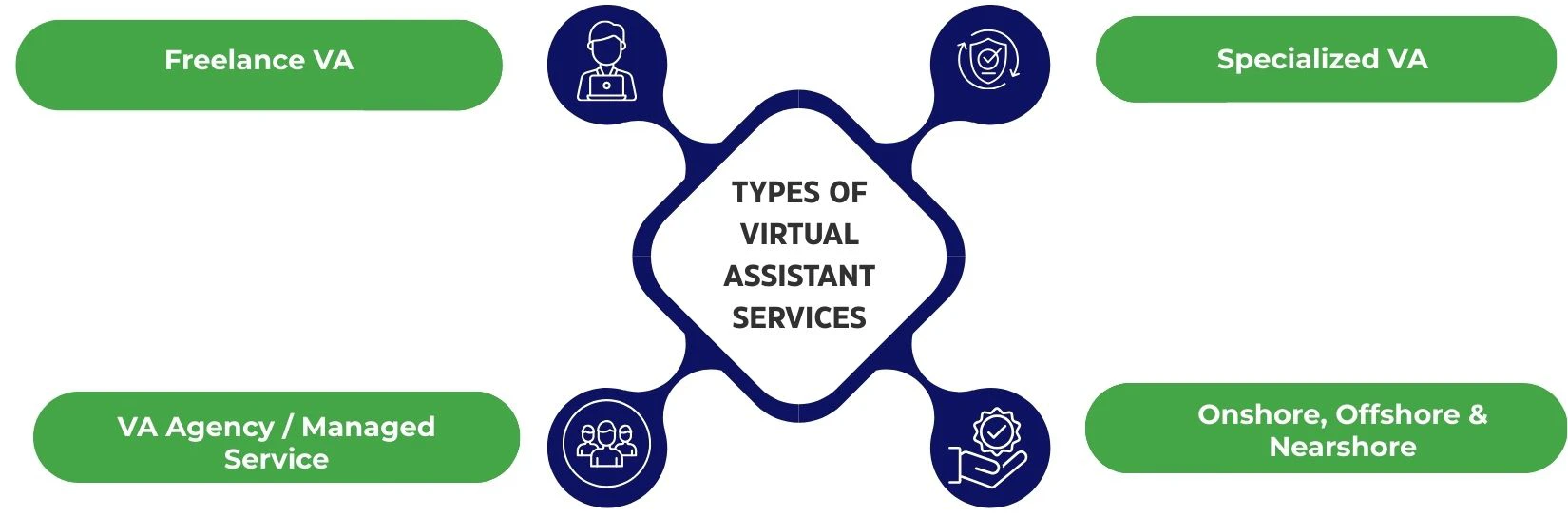
Freelance VA (Direct Hire)
- Pros: Lower cost, direct control, flexibility in hours
- Cons: No built-in backup, requires time to vet, manage, and train
- Best for: Businesses with a consistent workload and clearly defined SOPs
Common platforms: Upwork, Fiverr, Freelancer
Key contract: Use an independent contractor agreement to define scope, confidentiality, and deliverables.
VA Agency / Managed Service
- Pros: Pre-vetted talent, built-in training, smoother transitions if a VA leaves
- Cons: Higher cost than freelancers, less direct control over hiring
- Best for: Teams needing reliable support, quick ramp-up, and minimal management
Included support: Account manager, service SLA, team coverage, and available bench for replacements
Specialized VA (Role-Based)
- Examples: Marketing VA, Sales VA, Executive VA, Bookkeeping Assistant
- Worth the higher rate when tasks require specific domain expertise or alignment with a technical stack
Best for: High-skill, process-driven roles where errors are expensive or brand visibility is critical
Value: Delivers deeper specialization at a higher hourly rate, but with stronger ROI
Onshore vs Offshore vs Nearshore
- Onshore: Better cultural fit and language fluency, but the highest cost
- Offshore: Significant cost arbitrage, but may require process adjustment and timezone planning
- Nearshore: Balanced option; good communication cadence, partial time zone overlap, mid-level pricing
Best for: Businesses matching budget with the need for timezone coverage, control, or compliance
Virtual Assistant Pricing for Small Business
Virtual assistant pricing varies by model, skill level, and workload; structured around hourly, retainer, or project-based billing.
Common Pricing Models
- Hourly: Pay for tracked hours worked. Ideal for flexible, low-volume support
- Retainer: Fixed block of hours per month (e.g., 40 hrs) ensures consistent availability
- Package: Predefined deliverables for a set cost. Common for content, bookkeeping, or marketing
- Per-task/project: Used for one-off tasks like data cleanup or CRM setup
Pricing depends on scope, clarity of deliverables, and expected utilization. Most small businesses start with a mix of hourly rate and retainer models.
What Affects VA Cost?
- Skill level: A senior VA (e.g., executive or finance support) commands a higher skill premium than a junior VA handling admin work
- Industry knowledge: Familiarity with regulated or specialized sectors raises the rate
- Tool proficiency: VAs trained in CRM, advertising platforms, or accounting software cost more
- Urgency/availability: Fast turnarounds or non-standard hours increase pricing
- Location/time zone: Offshore VAs are typically more cost-efficient but may need communication adjustments
Budgeting Examples
- Starter: 10 hrs/month → Basic admin + scheduling
- Growth: 40 hrs/month → Admin + customer support
- Scale: 80+ hrs/month → Dedicated help with ops + sales support
These scenarios help in cost forecasting and workload planning, aligning capacity with business growth.
Hidden Costs to Plan For
- Training and onboarding time, especially during the first 1–2 weeks
- Ramp-up delays or minor rework during early delegation
- Subscription fees for tools or seat licenses (e.g., CRM access)
- Ongoing quality assurance to maintain output standards
- Access provisioning and revoking (security, logins, user permissions)
Planning for these helps ensure a realistic view of the total cost of ownership.
How to Choose the Right Virtual Assistant Service
Choosing the right VA starts with defining your needs, screening for fit, and asking the right questions to align skills with business outcomes.
Requirements You Should Define Before Hiring
- A clear task list with priorities by urgency and complexity
- A list of required tools that the VA must already know or be trained on
- Targeted weekly hours and ideal time zone overlap
- Preferred communication expectations (email, Slack, video calls)
- Defined success metrics linked to specific KPIs
These should be documented in a shared SOP to standardize onboarding and help assess performance.
Also, define your tools stack and availability expectations (your VA’s availability window) upfront to avoid misalignment later.
Screening Checklist
Use this to quickly qualify or disqualify candidates:
- Clear, professional communication, especially in writing
- Responsiveness and follow-through during trial or early tasks
- Sharp attention to detail with minimal need for rework
- Familiarity with relevant platforms (strong tool literacy)
- Problem-solving ability and initiative
Always assign a test task, review portfolios, and request references before finalizing. A short trial period can surface red flags early.
Interview Questions
Ask these during the interview to assess depth and fit:
- “Walk me through how you would handle a new process without an SOP.”
- “Which tools have you used for scheduling, CRM, or reporting?”
- “How do you handle unclear instructions or shifting priorities?”
- “What’s your weekly availability and expected response time?”
- “If something goes wrong, what’s your escalation path?”
These questions help surface how the VA thinks, communicates, and approaches process thinking.
Onboarding a Virtual Assistant (A Step-by-Step Playbook)
Effective onboarding sets the tone for performance. Start small, document clearly, and use the right tools to build a replicable system.
Week 1 Setup (Minimum Viable Onboarding)
- Create a shared workspace using Google Drive, OneDrive, or Notion, with a clean folder taxonomy
- Define preferred communication channels (e.g., Slack, Teams) and set clear office hours
- Introduce only 1–2 processes during the first week to avoid overwhelm
- Schedule daily check-ins to resolve blockers and align expectations
This phased approach builds trust and minimizes early miscommunication.
SOPs That Make Delegation Easy
- Document the task objective and a clear “definition of done”
- Include a step-by-step checklist with numbered actions
- Add visual examples and screenshots for clarity
- Cover edge cases and provide escalation rules
Use tools like Loom to create walkthroughs, and link each SOP to a QA rubric so quality stays consistent.
Tools to Record and Transfer Knowledge
- Use Loom for screen recordings to train on processes once
- Build Notion templates or use Airtable bases for recurring workflows
- Standardize output with prebuilt Asana templates for projects and tasks
- Store email, invoice, or proposal templates in a shared folder for quick reuse
The goal: Create a system that scales beyond one assistant, and your processes become assets.
Managing VAs for Performance
Managing virtual assistants well means setting clear KPIs, running structured check-ins, and using systems.
Communication Cadence
- Use daily async communication to track what’s done, what’s next, and blockers (like a lightweight standup)
- Run a weekly sprint or planning call to align on upcoming tasks and priorities
- Hold a monthly review to reset goals, address gaps, and strengthen collaboration
This cadence ensures momentum without over-communication.
KPIs to Track
- Admin: Task turnaround time, error rate on formatting or data entry
- Customer Support: First response time, resolution time, CSAT scores
- Sales Support: Leads sourced, meetings booked, CRM data accuracy
- Marketing Support: Content publishing cadence, basic engagement metrics
Where applicable, define SLAs and use tools to measure cycle time and completion accuracy.
Quality Control Without Micromanaging
- Perform spot checks on output weekly or bi-weekly
- Use a QA checklist or brief peer review for repetitive deliverables
- Maintain an exception log to track issues
- Build a feedback loop for continuous improvement, not blame
An audit trail of key tasks helps you identify patterns and prevent recurring issues—without watching every move.
Data Security, Access, and Confidentiality
Protecting your business data starts with structured access controls, enforceable policies, and visibility into sensitive workflows.
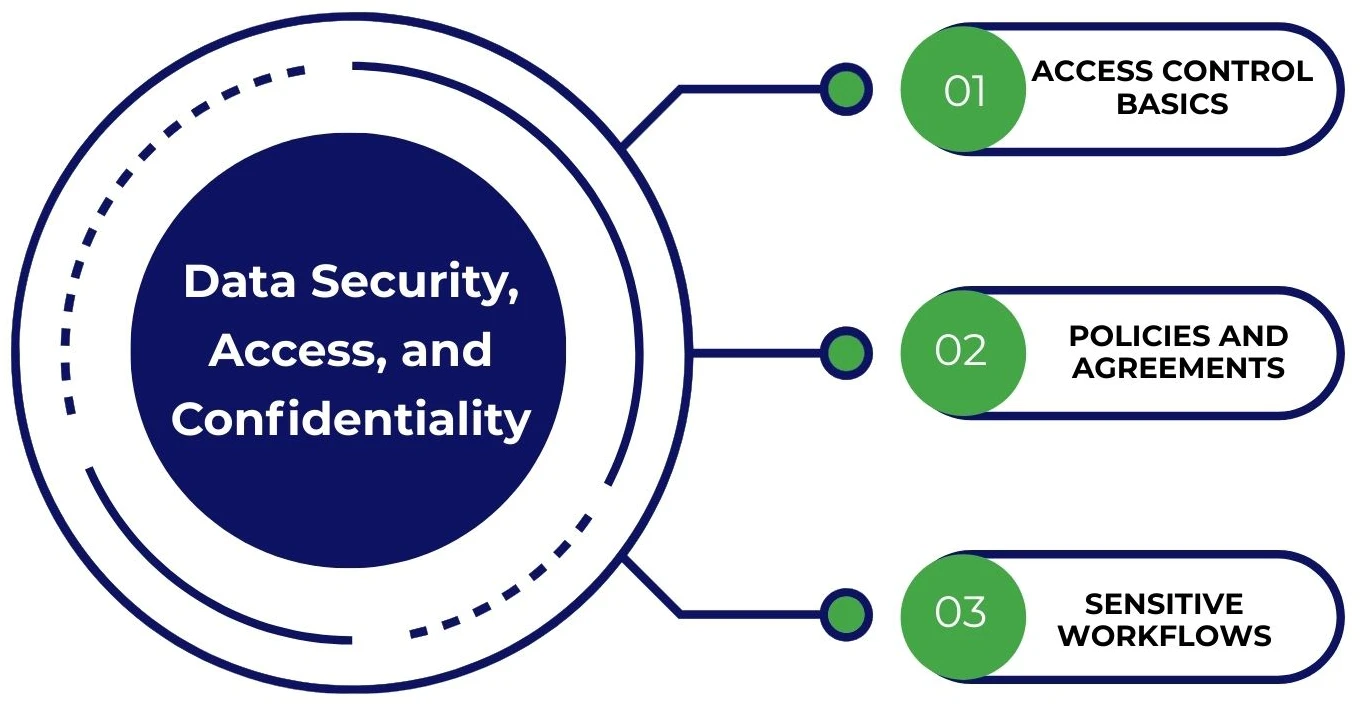
Access Control Basics
- Apply role-based access control (RBAC) and give access only to what’s needed
- Set up separate logins for each tool, and no shared passwords
- Use a password manager like 1Password or LastPass with enforced 2FA/MFA
- Immediately revoke tool access during offboarding to prevent data exposure
Consider SSO (single sign-on), where possible, to streamline login and manage permissions centrally.
Policies and Agreements
- Have every VA sign an NDA or a standalone confidentiality agreement
- Define a clear data handling policy. See what can be accessed, stored, or downloaded
- Set expectations on device use, secured networks, and VPN usage for remote work
- Require encryption for sensitive files and protect shared folders with permissions
Well-written policies protect both your business and your VA while reinforcing compliance.
Sensitive Workflows
- Use permissioned tools that restrict access based on task role
- Disable export functionality for financial reports or customer lists
- Maintain an audit log of data access and modifications
- Consider GDPR requirements (if handling EU data) or PCI safeguards for payment data
Legal & Compliance Considerations
Hiring a VA requires clear contracts, ownership terms, and consistent recordkeeping to stay compliant and avoid future disputes.
- Clearly define the VA as an independent contractor, not an employee, to avoid labor misclassification (confirm local laws with your advisor)
- Ensure all deliverables are covered under work-for-hire terms, especially for content, designs, or proprietary materials
- Use an independent contractor agreement that includes scope, compensation, confidentiality, and termination terms
- Standardize your invoicing process, and keep copies of all invoices and payments for accounting
- Collect and store the correct tax forms based on your jurisdiction (e.g., W-9, W-8BEN, 1099)
While this isn’t legal advice, documenting everything and maintaining separation from employee classification reduces long-term risk.
Virtual Assistant vs Automation vs AI Tools
Use a virtual assistant for judgment and context, automation for repeatable workflows, and AI to accelerate output.
When a VA Is Better Than Automation
- Tasks that require discretion, nuance, or adaptation; true judgment-heavy work
- Relationship-based communication, such as client follow-ups or brand-sensitive replies
- Multi-step coordination across tools, stakeholders, or shifting deliverables
These scenarios benefit from a human-in-the-loop who can handle exception handling and nuanced decision-making.
When Automation Is Enough
- Rule-based workflows with consistent inputs/outputs (e.g., lead capture → email follow-up)
- Syncing tools, sending reminders, or routing info based on status
- Think: “If X, then Y” logic that rarely changes
Tools like Zapier, Make, IFTTT, and Google Apps Script are perfect for automating predictable, low-judgment flows.
Best Approach: VA + AI Copilot
- A VA leverages AI tools (e.g., ChatGPT, Microsoft Copilot, Google Gemini) to generate drafts, summaries, and first-pass formatting
- You or the VA reviews for final accuracy and brand alignment
- Build a prompt library for repeated use cases (emails, reports, FAQs)
- Final outputs go through your standard QA workflow
This hybrid approach keeps humans in control while multiplying productivity and precision.
Mistakes to Avoid When Hiring Virtual Assistant Services
Avoid common pitfalls by clarifying tasks, standardizing early, and building feedback loops to prevent misalignment and rework.
- Hiring without a clear task list leads to confusion, vague expectations, and poor output
- Delegating messy, unstructured work before creating an SOP causes early scope creep
- Skipping the “definition of done” results in inconsistent deliverables and wasted cycles
- Granting access to too many tools too quickly increases the risk of data leaks and missteps during onboarding
- Failing to create a simple feedback loop causes recurring rework and performance drift
Getting these right from day one prevents misalignment and builds a foundation for scalable delegation.
Frequently Asked Questions (FAQs)
Conclusion
Virtual assistant services give small businesses leverage, unlocking time, reducing overhead, and accelerating execution without adding headcount.
Whether you’re scaling operations, improving customer touchpoints, or offloading admin work, a well-managed VA strategy is a modern growth advantage. Start lean, document efficiently, and scale with precision.
About the Author

As CEO, Ali Din oversees the overall strategy and direction for Premier NX. With senior leadership roles at global HR and recruiting platforms, Indeed and ADP. Ali has over 25 years of experience in the IT and advanced technology sector. Ali’s time is focused on transformation in the business, both for professional development and for clients, to enhance business outcomes.