


Call center services help small businesses manage customer support and sales via inbound and outbound communication channels.
Missed inbound calls, limited staff availability, and no after-hours coverage, these are common operational roadblocks for small businesses. Call center services, including modern contact center solutions, provide scalable customer support and sales coverage without hiring in-house.
In this guide, you’ll learn how to evaluate service types, compare pricing models, choose a provider aligned with your SLA goals, and track key performance metrics that drive ROI.
What Are Call Center Services for Small Businesses?
Call center services help small businesses handle customer interactions through voice, chat, and email to improve CX and scalability.
A call center for small businesses is a specialized service that manages inbound and outbound customer interactions, typically via phone.
In today’s environment, many providers operate as a contact center, offering omnichannel support across live chat, email, and even social media. Whether acting as a virtual receptionist or handling escalations, these services enhance customer experience (CX) while freeing up internal teams.
Call Center vs. Contact Center (Quick Comparison)
- Call Center: Handles voice-only communication via phone.
- Contact Center: Manages voice plus digital channels like chat and email.
- Call Center: Often used for basic support or phone-based sales.
- Contact Center: Ideal for businesses needing live chat, email support, SMS, or social media management (e.g., WhatsApp Business, DMs).
- Small businesses typically benefit more from a contact center model for broader coverage.
Inbound vs. Outbound Services
- Inbound services: Focus on customer support. Handle order status updates, returns, billing support, and general inquiries.
- Outbound services: Drive growth via lead qualification, appointment setting, and follow-ups with potential or lapsed customers.
When should Small Businesses Use a Call Center?
Small businesses should use a call center when missed calls, staff gaps, or seasonal surges threaten service quality, scalability, or business continuity.
Best-fit scenarios for small businesses:
- Repeatedly missing inbound calls during business hours.
- Need an after-hours answering service or weekend support without hiring.
- Experiencing peak season spikes in volume that internal teams can’t handle.
- Business owner or leadership is personally fielding calls—limiting focus on growth.
- Require overflow support during high-traffic campaigns or emergencies.
- Need to ensure business continuity without expanding headcount.
It’s not ideal if your support needs are highly complex and lack proper documentation or escalation protocols.
What are Some Common Use Cases by Industry?
Small businesses across industries use call centers for order handling, scheduling, client intake, and consistent customer communication.
Call center services are applied differently by industry, but the goal is the same: handle high-volume, repeatable interactions efficiently.
- E-commerce: Orders, payments, and post-purchase support
- Home services: Scheduling, dispatch coordination, urgent requests
- Healthcare clinic: Appointments, reminders, non-clinical intake
- SaaS: Account support, onboarding queries, subscription management
- Professional services (law firm/accounting): Client calls, bookings, follow-ups
- Hospitality: Reservations, guest inquiries, service requests
E-commerce & Retail
- Order management and order tracking
- Shipping questions and delivery updates
- Returns and exchanges
- Payment issues, refunds, and chargebacks
- Platform support for Shopify and WooCommerce
Home Services (HVAC, Plumbing, Cleaning)
- Call handling for new bookings and inquiries
- Dispatch notes and technician coordination
- Quote and estimate follow-ups
- Emergency call intake by service area
- Missed-call recovery via voicemail-to-text
Healthcare & Clinics
- Patient scheduling and rescheduling
- Automated and live appointment reminders
- Basic intake forms and information capture
- Compliance-aligned workflows under HIPAA (US-based clinics only)
What are the Types of Call Center Services You Can Outsource?
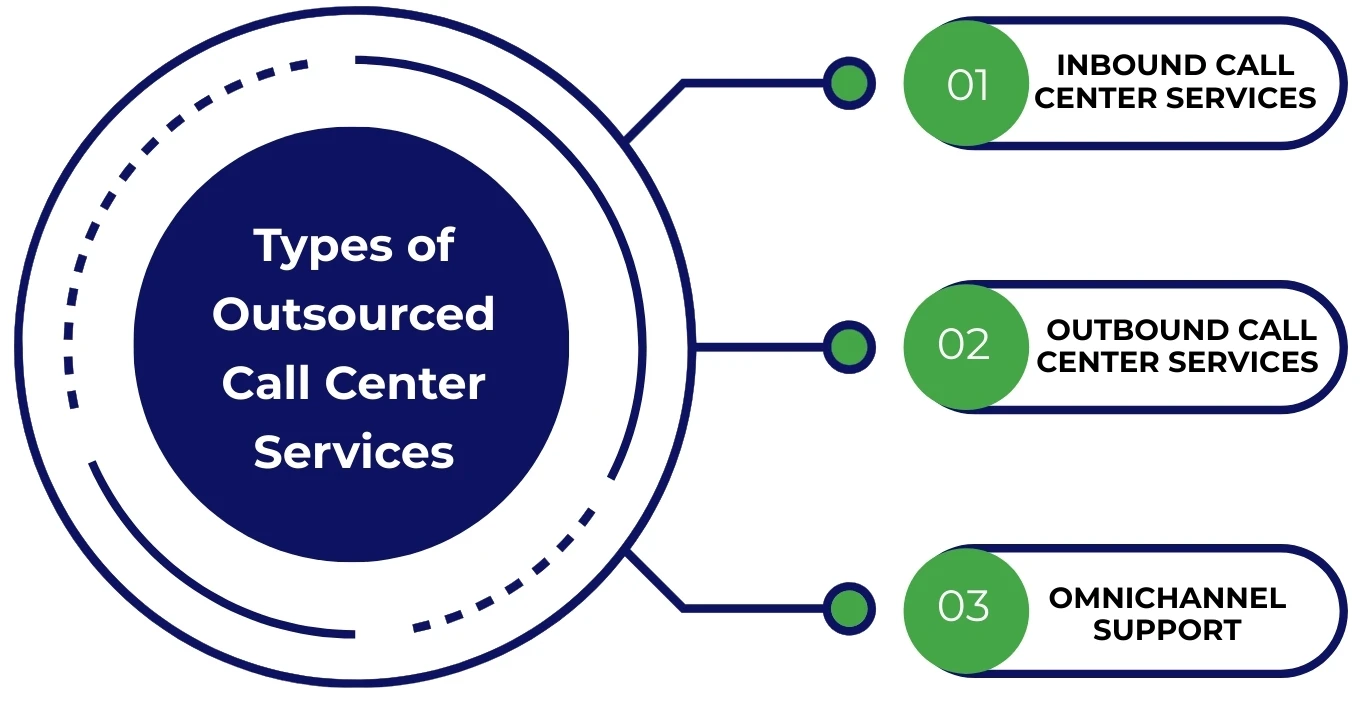
Outsourced call center services include inbound support, outbound sales, omnichannel communication, and bilingual agent coverage.
Most providers offer packaged solutions, but choosing the right service depends on your business goal. Whether you need inbound support, outbound calling, omnichannel capabilities, or bilingual agents, you can tailor the model with shared or dedicated agents based on your volume and customer expectations.
- Inbound (support-focused)
- Outbound (sales-focused)
- Omnichannel (phone, chat, email)
- Bilingual agents (multilingual service coverage)
Inbound Call Center Services (Support-Focused)
- Live customer support for inquiries and problem resolution
- Answering FAQs and handling repetitive questions
- Order processing and payment confirmation
- After-hours and weekend call handling
- Overflow support during busy periods
- Basic Tier 1 tech support using scripts and knowledge base articles
- High First Call Resolution (FCR) focuses on limiting escalations
Escalation rule example: Any request involving refund approval, policy exceptions, or sensitive complaints is immediately escalated to the business owner.
Outbound Call Center Services (Growth-Focused)
- Lead generation and list qualification
- Appointment setting with warm prospects
- Sales follow-ups on abandoned carts or expired quotes
- Win-back campaigns targeting inactive customers
- CRM integration to update the pipeline in real-time
- Local compliance required: respect DNC lists, consent protocols, and opt-out mechanisms
Omnichannel Support (Phone + Chat + Email)
Customers expect seamless service across platforms. Omnichannel support ensures that no matter how they reach out, by phone, live chat, or email, they get a consistent, timely experience.
- Live chat via widgets (e.g., Zendesk, Freshdesk, Help Scout)
- Ticket routing from chat to email or callback based on issue type
- SLA-aligned response tracking through your ticketing system
- Centralized dashboards to manage and prioritize communication
What are the Key Benefits of Outsourcing Call Center Services?
Outsourcing call center services boosts conversions, improves CX, controls costs, and gives owners time to focus on core growth.
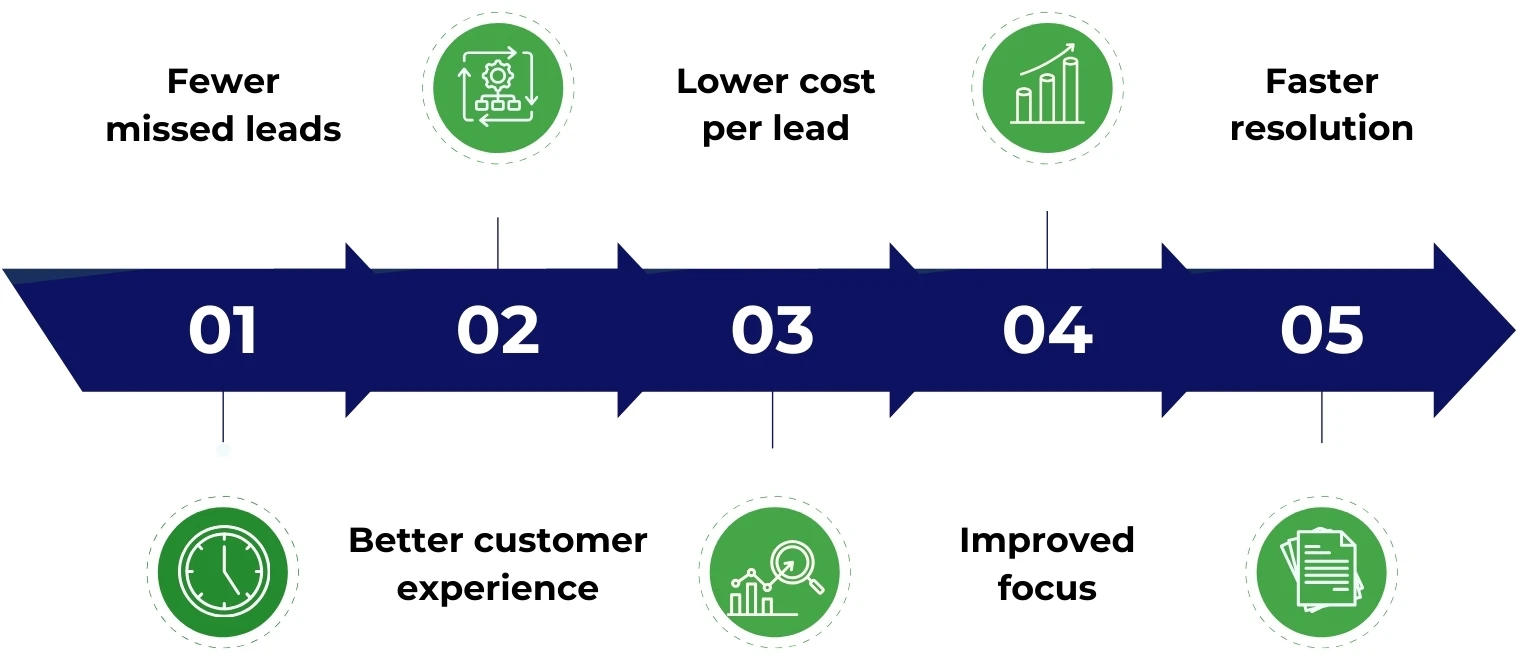
- Fewer missed leads because every inbound call is answered live, which reduces lost sales and improves your conversion rate.
- Better customer experience (CX) because fast response times directly impact CSAT and long-term retention.
- Lower cost per lead because flexible staffing and shared agents reduce overhead without sacrificing quality.
- Improved focus because owners are no longer fielding calls, freeing them to work on strategy and revenue.
- Faster resolution because trained agents resolve issues efficiently, minimizing churn and improving average response time.
How Outsourcing Works (A Simple 5-Step Process)
Outsourcing works in a structured five-step process, from discovery to continuous improvement.
Step 1: Discovery
Understand your call volume, business hours, and reasons for contact. This step sets the foundation for staffing, scheduling, and SLA alignment.
Step 2: Scripts, FAQs, and Brand Voice
Your team collaborates on call scripts, key FAQs, tone guidelines, and your preferred handling of inquiries. A solid escalation matrix is defined here.
Step 3: Tool Access and Integrations
Give secure access to CRMs, phone systems, and helpdesks. Seamless integration ensures agents follow your SOPs and workflows from day one.
Step 4: Pilot Period
A short trial run with trained agents lets you test performance, tweak coverage, and validate quality through early QA reviews.
Step 5: Ongoing Reporting and Improvements
You receive structured reporting, including call analytics, agent QA scores, and feedback loops to refine processes and elevate CX outcomes.
What to Prepare Before Onboarding (A Writer Checklist)
- Your top FAQs and customer scenarios
- Current pricing/rates and refund policy
- Defined service areas and business hours
- Escalation rules and key escalation contacts
- Access to or creation of a knowledge base
- Prebuilt macros for common replies
- Any customer policies that agents must follow
- Standard call disposition codes to classify outcomes
What to Look for in a Call Center Service Provider?
The right call center provider blends skilled agents, proven processes, secure tech, and regulatory compliance into a seamless extension of your brand.
Choosing the right partner goes beyond cost; evaluate capabilities across four key areas:

People
- Well-trained, dedicated, or shared agents based on your call volume
- Neutral accent, language fluency, and customer empathy
- Cultural alignment and product knowledge for contextual support
Process
- Ongoing QA scorecards to ensure quality
- Defined escalation paths for complex cases
- Transparent, regular reporting on performance and trends
Tech
- Compatibility with your CRM, phone, and helpdesk stack
- Access to call recordings for review and coaching
- Omnichannel readiness and SLA-aligned performance metrics
Security
- Compliant with PCI DSS for payment security
- HIPAA adherence for healthcare providers
- Robust data handling and agent-level access controls
Tech Stack & Integrations
- HubSpot CRM, Salesforce, Zoho CRM – For lead tracking, notes, and contact records
- RingCentral, Aircall, 8×8, Twilio – Cloud telephony platforms for call routing and logging
- Zendesk, Freshdesk – Helpdesk systems for ticket management and SLA tracking
- Slack, Microsoft Teams – Internal communication for team collaboration and live issue handling
- Calendly, Acuity Scheduling – Appointment tools for booking, reminders, and syncing across time zones
What Small Businesses Typically Pay?
Call center pricing depends on usage volume and support needs. Models include per-minute, per-agent, or bundled monthly packages.
Small businesses typically choose from three pricing models based on support volume and complexity:
- Per-minute or per-call pricing: Pay only for talk time or each interaction, great for low, unpredictable volumes.
- Per-agent or per-seat pricing: A fixed monthly rate for a dedicated or shared agent, ideal for steady, ongoing support.
- Monthly packages: Bundled services that include a mix of inbound, outbound, and omnichannel support under a flat rate.
What drives cost:
- Total call volume and peak-hour traffic
- Request complexity and level of agent training
- Length of after-hours coverage
- Number of communication channels (voice, chat, email)
- Need for bilingual support or multilingual teams
How to Choose a Pricing Model (Quick Guidance)
- Per-minute pricing is best for low or sporadic volume with uncertain forecasting.
- Per-seat pricing fits steady operations with consistent staffing levels.
- Bundled packages work well for seasonality or campaigns with defined spikes in demand.
KPIs to Track for Call Center Outsourcing Services
Start with 3–5 KPIs like CSAT, FCR, and AHT to measure performance, service quality, and customer satisfaction without data overload.
- CSAT (Customer Satisfaction Score): Measures how satisfied customers are post-interaction. This is critical for loyalty.
- ASA (Average Speed of Answer): Tracks how quickly calls are answered. This is key for first impressions.
- AHT (Average Handle Time): Measures the time taken to resolve an issue. Helps balance speed with quality.
- FCR (First Call Resolution): Tracks how often issues are resolved on the first call. This improves efficiency and satisfaction.
- Abandonment Rate: Shows how many callers hang up before reaching an agent, often a sign of long hold times or poor service level.
Simple Reporting Cadence
- Weekly: Report on call volume issues, top call reasons, and any escalations to identify trends early.
- Monthly: Review KPI performance trends, adjust scripts, and evaluate staffing changes with insights from your dashboard and call analytics.
- Use root cause analysis to understand recurring problems and implement long-term improvements.
In-House vs Outsourced vs Hybrid
Choose in-house for control, outsourced for scale, and hybrid when balancing internal expertise with external coverage.
- In-house is best when you need full control, handle Tier 2 escalations daily, and have trained internal staff available.
- Outsourced is best when you need 24/7 support, fast scaling, or to offload Tier 1 tasks and repetitive interactions.
- Hybrid is best when you want to maintain complex support internally while outsourcing routine calls for efficiency and focus.
Example Hybrid Workflow:
Your outsourcing partner handles all Tier 1 support, like FAQs, order status, and basic tech, while your internal team manages Tier 2 escalations involving complex troubleshooting or sensitive issues.
Best Practices for Getting Great Results
Effective call center outcomes rely on documented processes, flexible scripts, regular QA reviews, and ongoing agent coaching.
- Document FAQs and customer policies to ensure consistency and fast onboarding.
- Clearly define escalation thresholds for cases like refunds or emergencies to avoid decision bottlenecks.
- Keep call scripts flexible to match your brand voice, and agents shouldn’t sound robotic.
- Routinely review call recordings to assess tone, compliance, and opportunities for service recovery.
- Update your knowledge base monthly to reflect product changes and new edge cases.
- Schedule ongoing agent coaching based on live QA insights and performance gaps.
- Share product updates and promotions with your team to align messaging across the customer journey.
- Use regular QA reviews to catch issues early and reinforce best-in-class support habits.
Frequently Asked Questions (FAQs)
Conclusion: Recommended Next Steps
To start strong, define your support needs, prep documentation, run a pilot program, and track KPIs for continuous improvement.
1. Choose your scope
Decide whether you need after-hours coverage, overflow assistance, or full-service support aligned with your SLA goals.
2. Prepare key documentation
Draft your top FAQs, escalation rules, and brand voice guidance to ensure consistency from day one.
3. Select a provider and launch a pilot
Run a short pilot program to evaluate performance, tech fit, and customer experience alignment.
4. Track KPIs and optimize
Monitor 3 core KPIs and use data insights for continuous improvement and long-term ROI.